Ruben Cespedes
Menu
TL;DR
Problem: A fast-growing AIOps platform had no shared design language, creating inconsistency across teams and slowing product delivery. What I did: Built the Dell AIOps design system from scratch, components, tokens, governance model, and contributor framework. Outcome: Unified design and engineering across multiple product teams, reducing design-to-dev handoff friction and accelerating delivery cycles.
Role & Scope
I worked as the Design Systems Engineer. I owned the migration of all Adobe XD assets into Figma, rebuilt them as reusable components, and introduced new UI patterns to support current and future product needs. I partnered closely with product designers, engineers, and stakeholders to ensure adoption and long-term maintainability across the platform.
Context & Problem
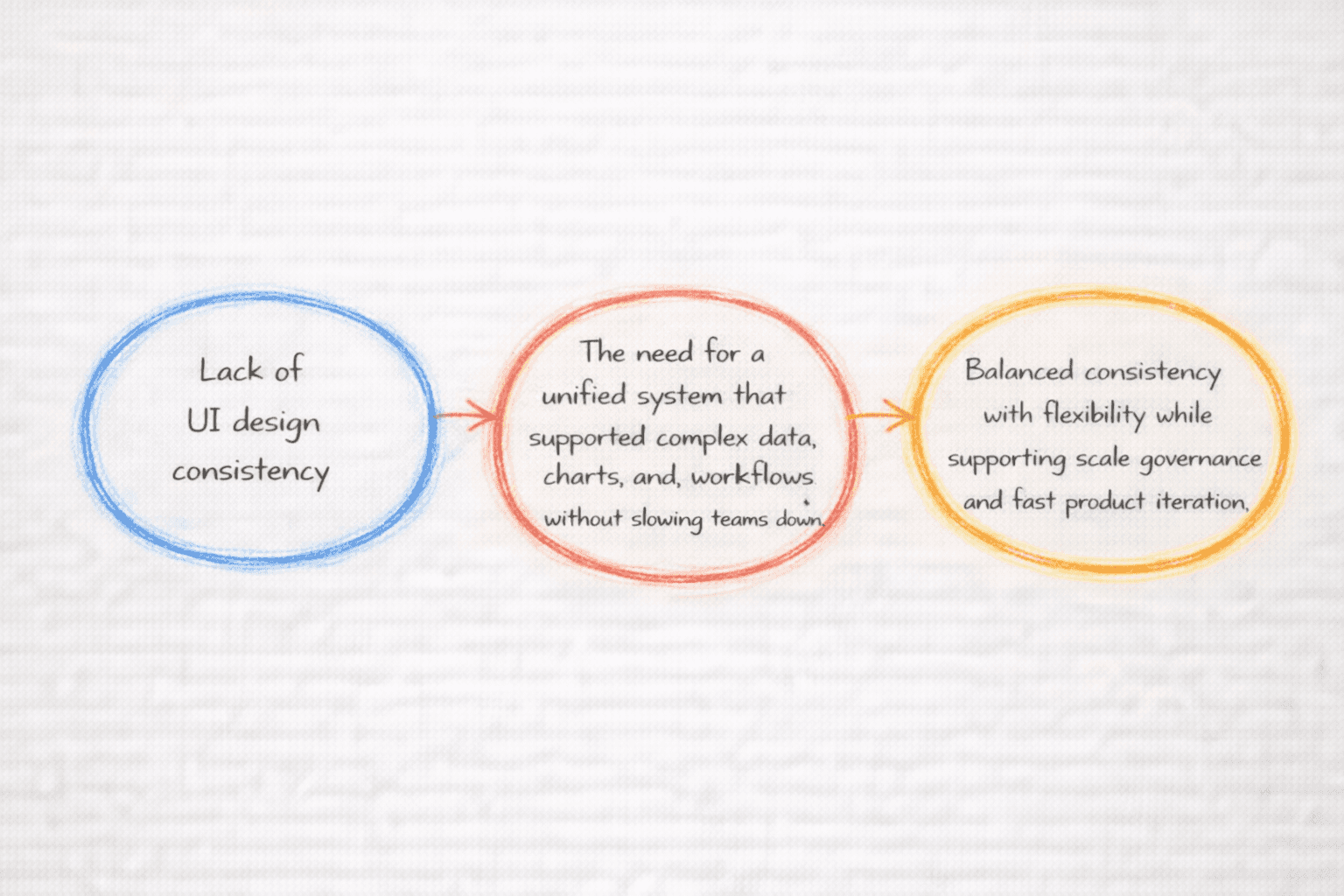
Dell AIOps had grown over time with multiple features, teams, and workflows. The UI lacked consistency, and design decisions varied across screens and modules. The team needed a unified system that supported complex data, charts, and workflows without slowing teams down.
The core challenge was to create a system that balanced consistency with flexibility while supporting scale, governance, and fast product iteration.
Constraints
• Multiple teams contributing to the same platform
• Existing Adobe XD assets with inconsistent patterns
• Ongoing product development during the migration
• High expectations around accessibility and usability
Research
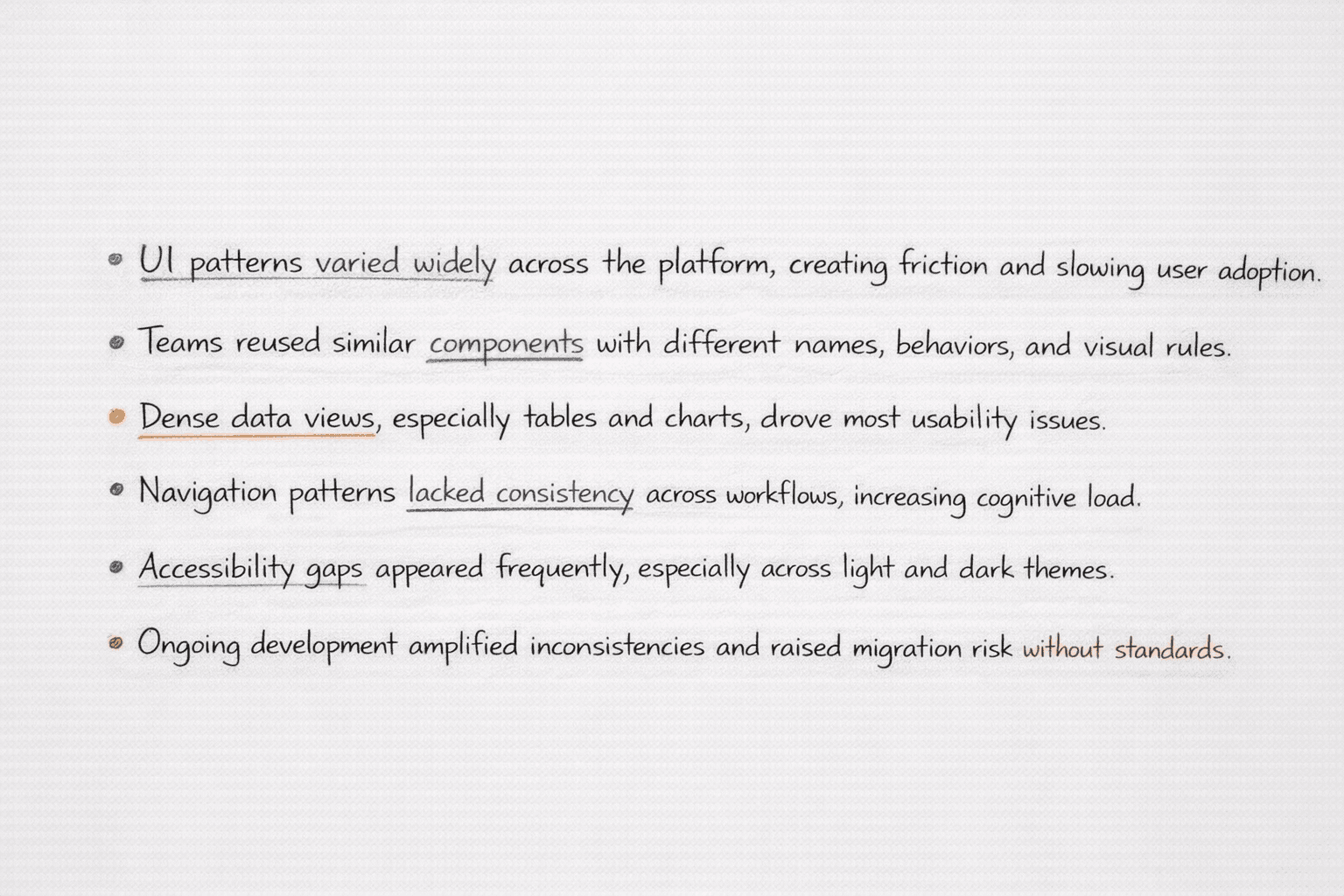
I started with a full UI audit and inventory to understand existing components, patterns, and inconsistencies. I conducted stakeholder and user interviews to understand pain points, workflows, and adoption risks. I reviewed established systems such as Material Design, Apple Human Interface Guidelines, and IBM Carbon to inform structure, naming, and behavior.
I also supported contextual inquiry and usability testing to validate patterns in real product scenarios, especially around navigation, tables, charts, and system health views.
Key Findings
Approach
I focused on building a strong foundation before scaling. I defined core principles for consistency, clarity, and reuse. I migrated all Adobe XD assets into Figma and rebuilt them as structured components with clear variants and states.
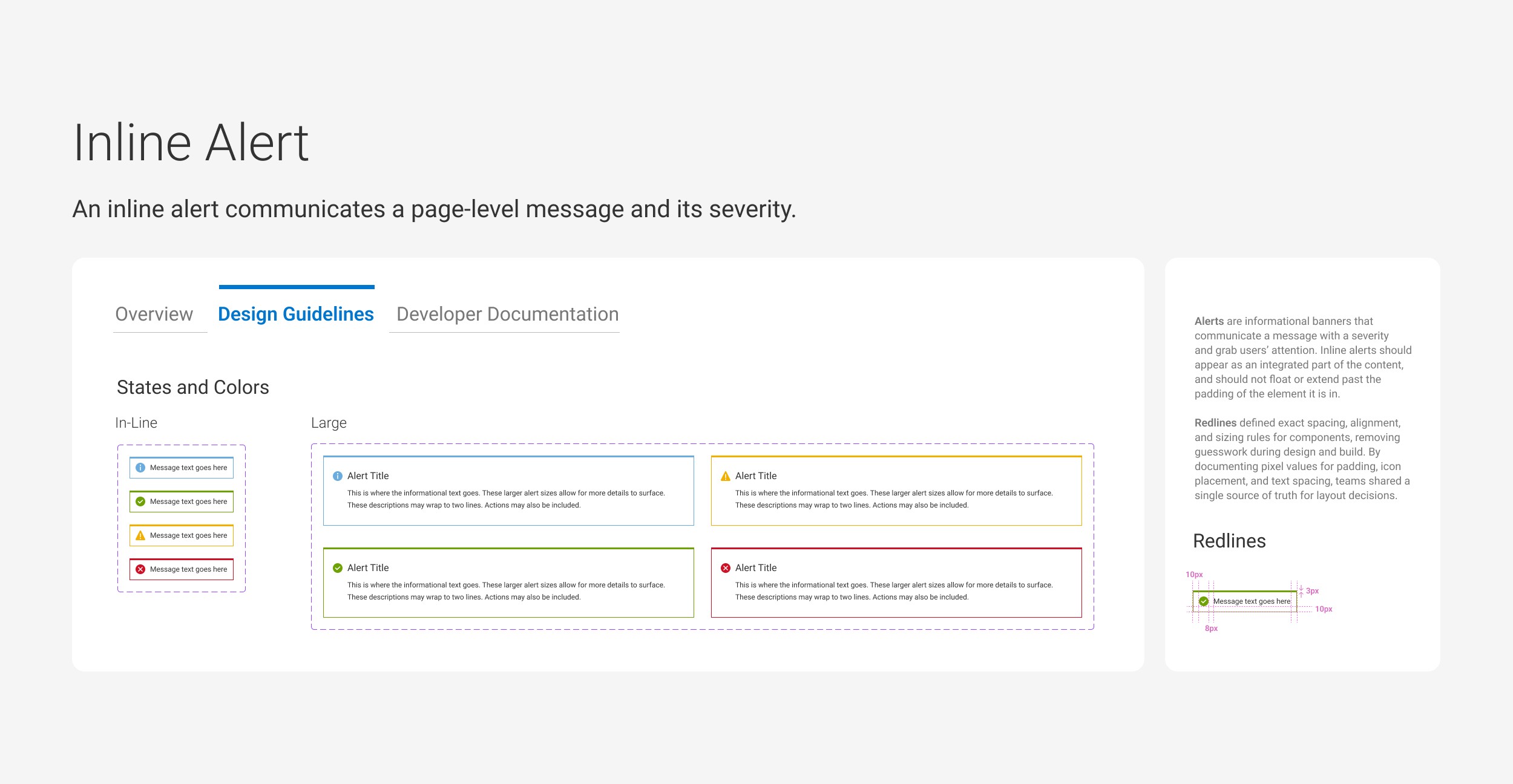
I introduced new UI patterns where gaps existed, especially for navigation, alerts, tables, charts, and dashboards. I worked with engineers to align components with code realities and ensured designs translated cleanly into production.
Documentation played a key role. I organized components, usage guidance, and visual rules to support onboarding and long-term maintenance.
Documentation and Adoption
I treated documentation as a core part of the system. I added clear usage guidance directly in Figma, including component purpose, variants, states, accessibility notes, and do and don’t examples. The system was organized for fast scanning so teams could find answers quickly without breaking flow.
To support adoption, I worked directly with designers and engineers on active product work. I helped teams transition from legacy patterns through walkthroughs, reviews, and real project usage. This approach built trust, reduced custom solutions, and made the system part of everyday workflows.
Final Designs
Solution
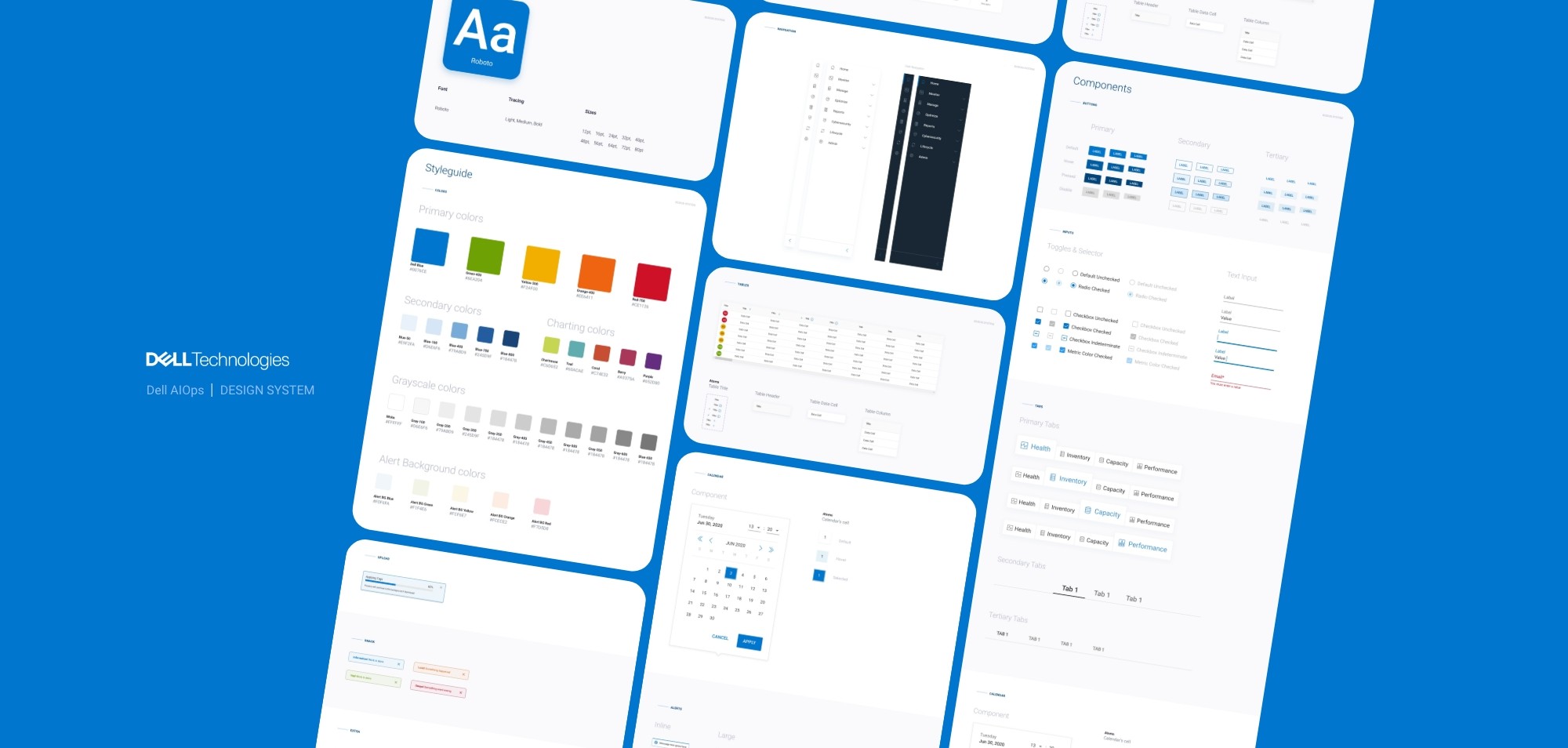
Design system foundation
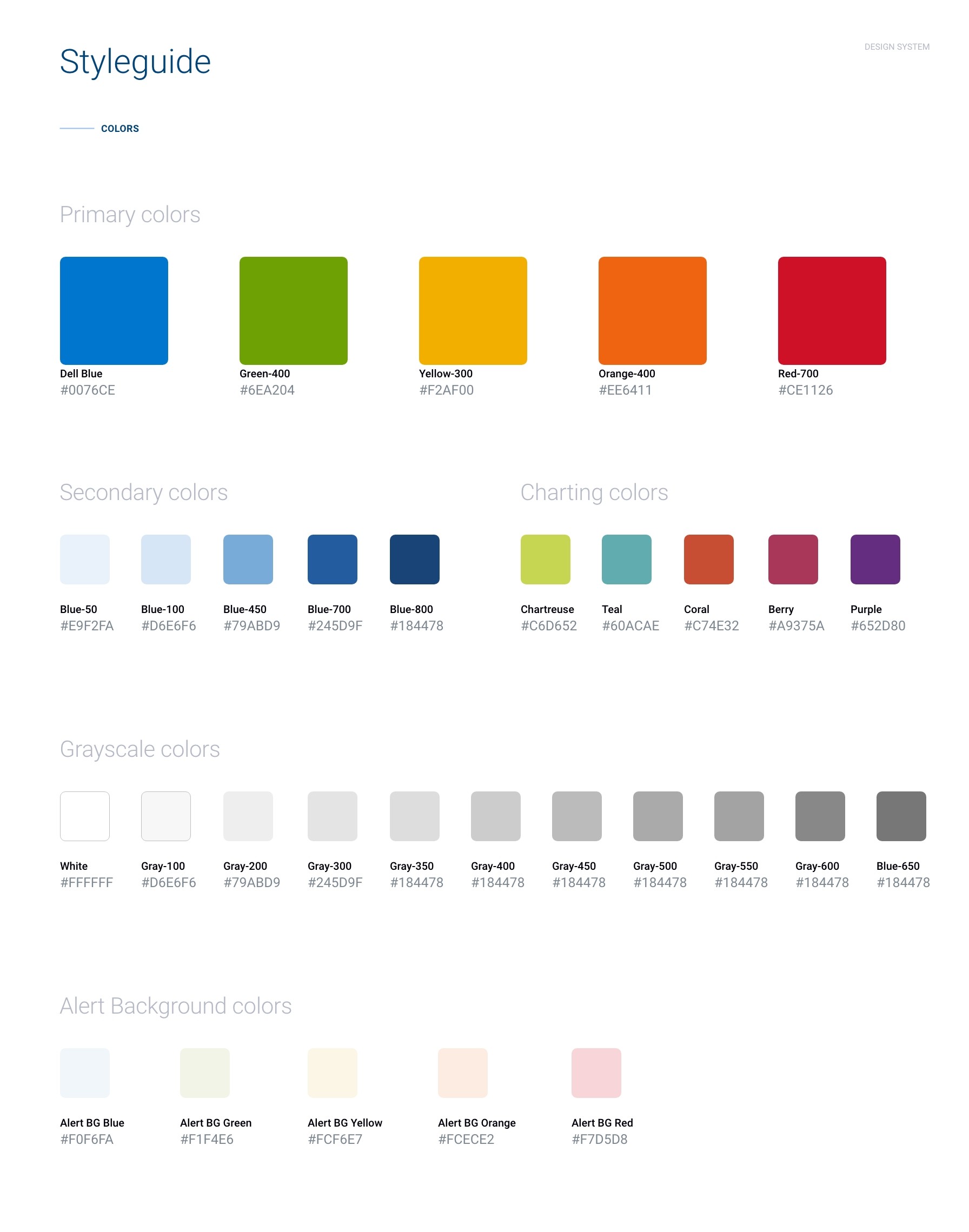
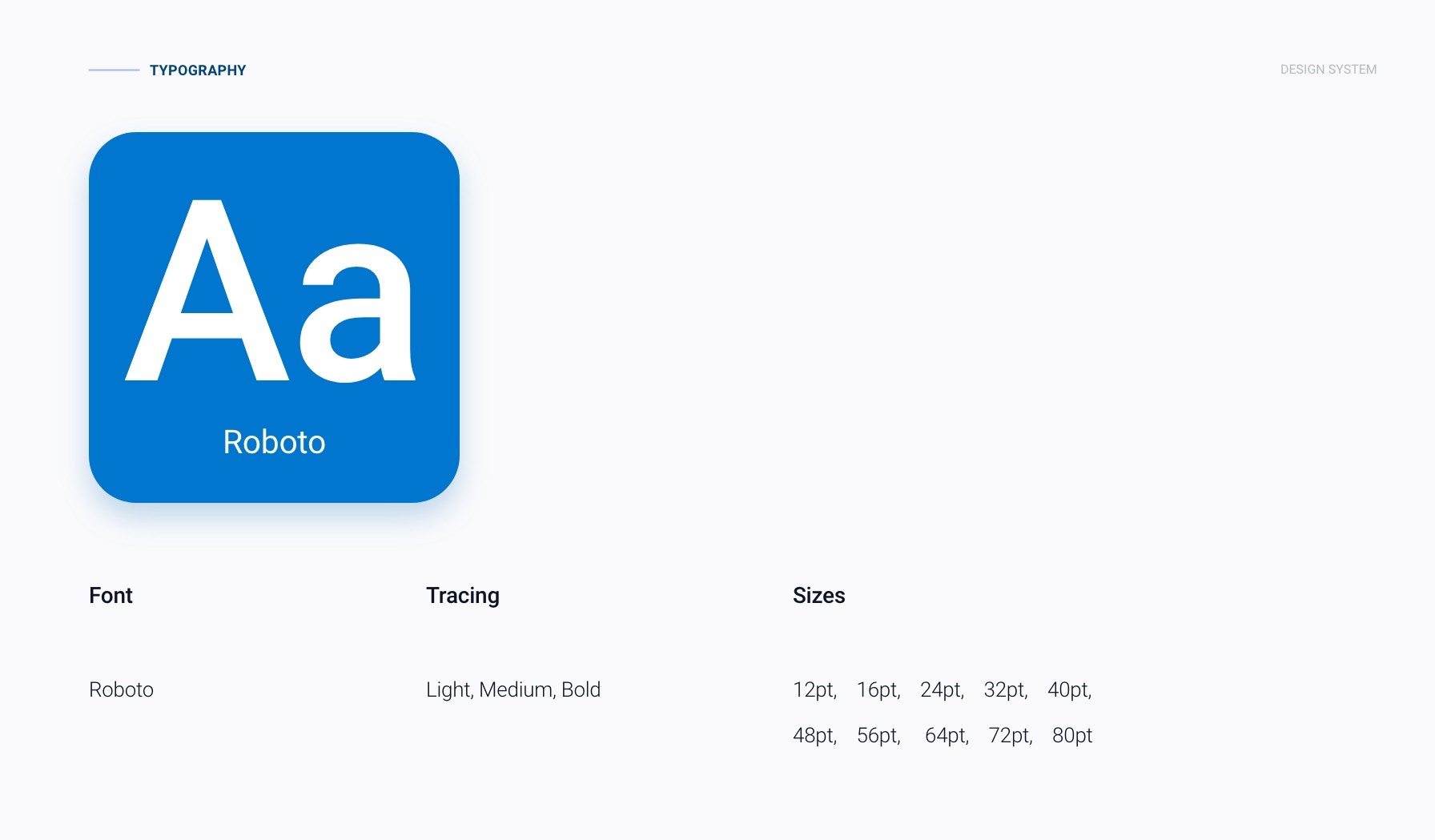
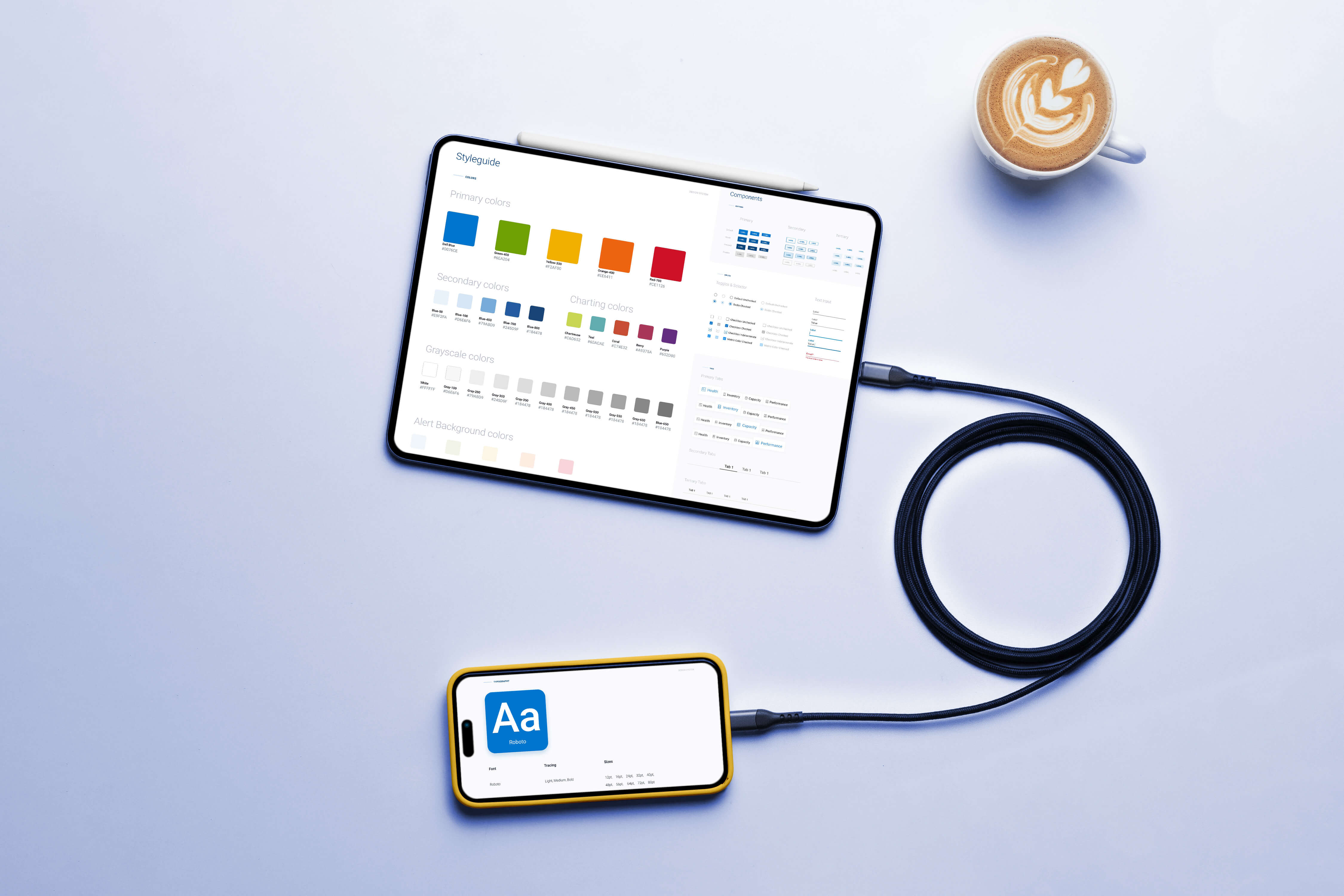
A complete Figma based system with tokens, typography, color, spacing, and reusable components.Component library
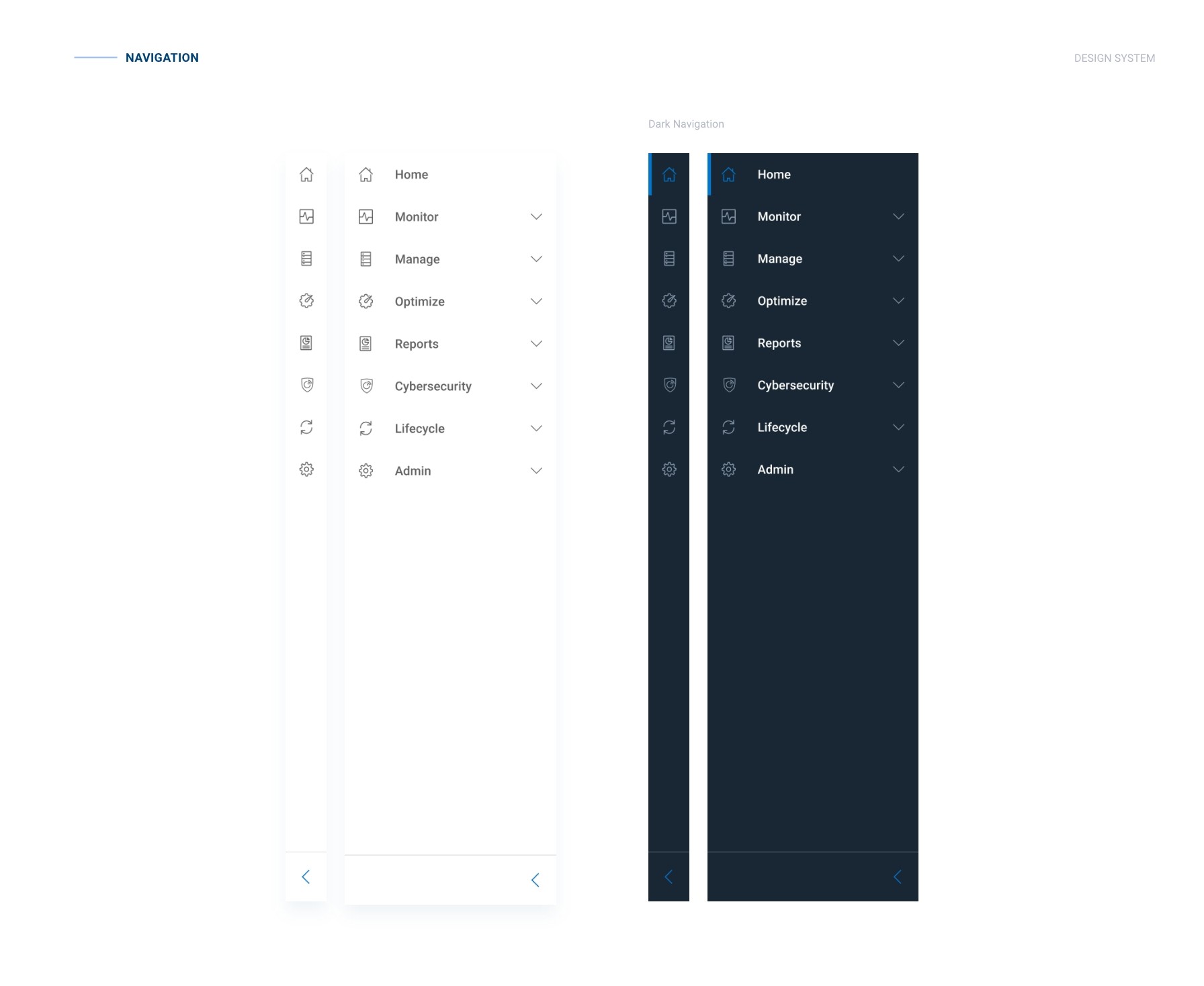
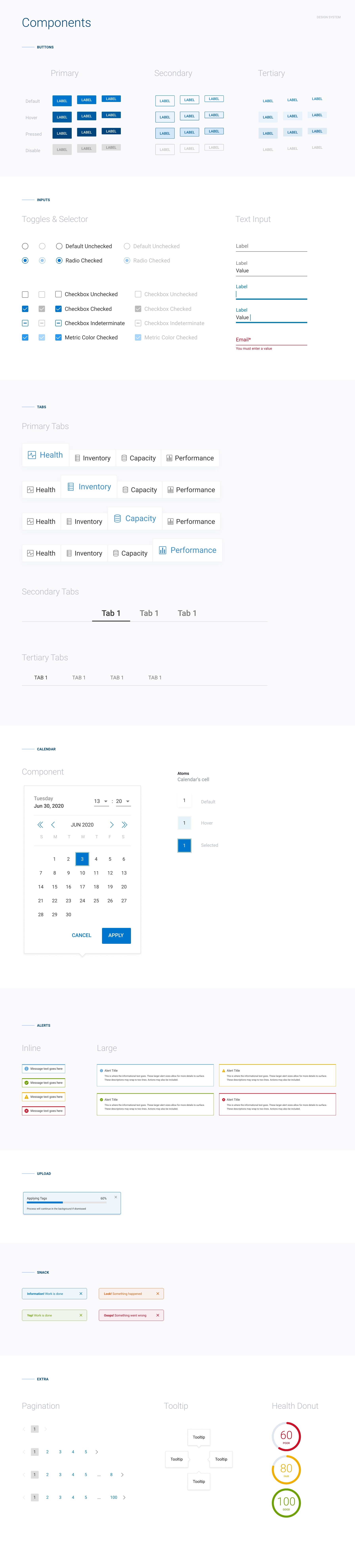
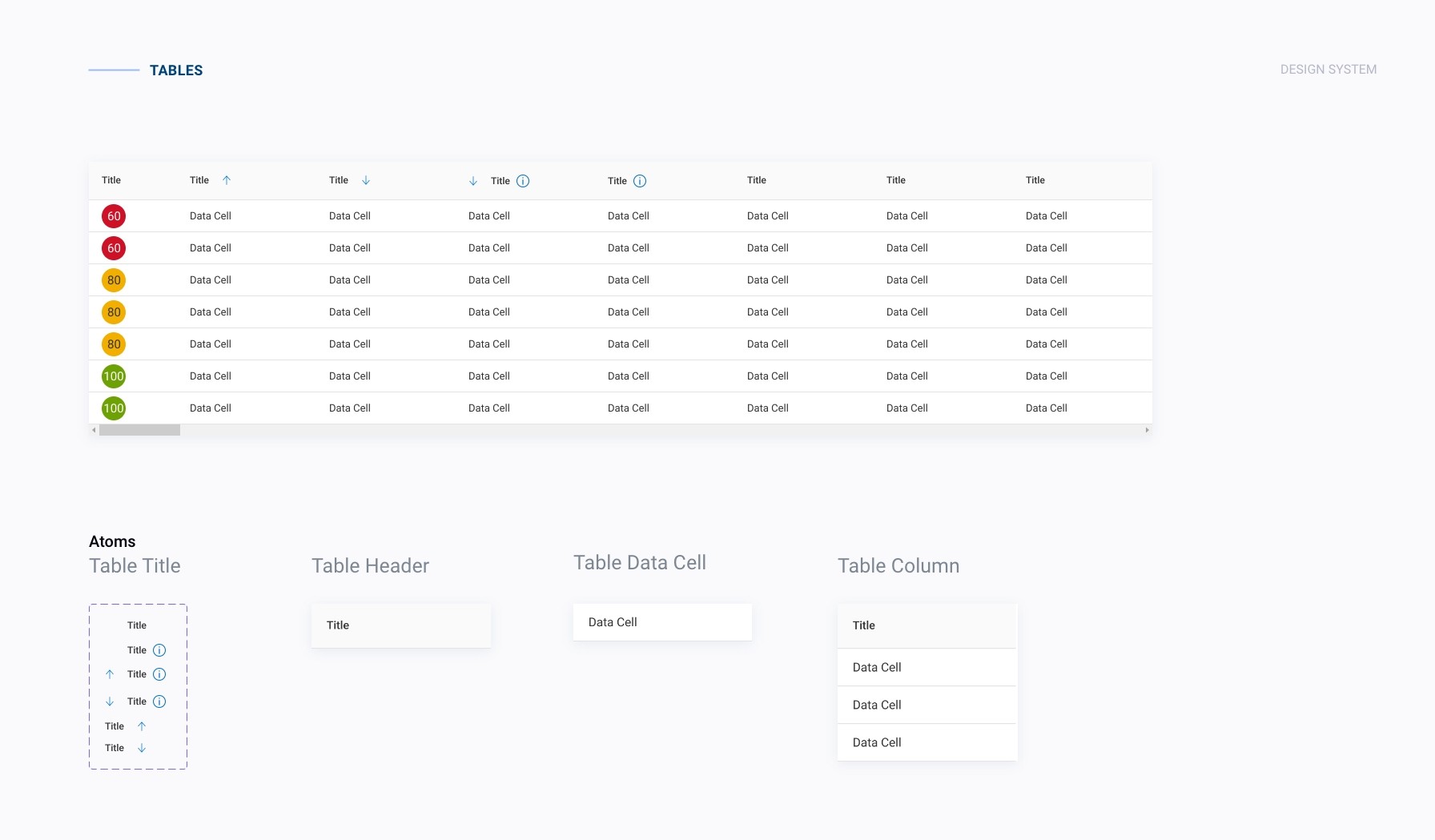
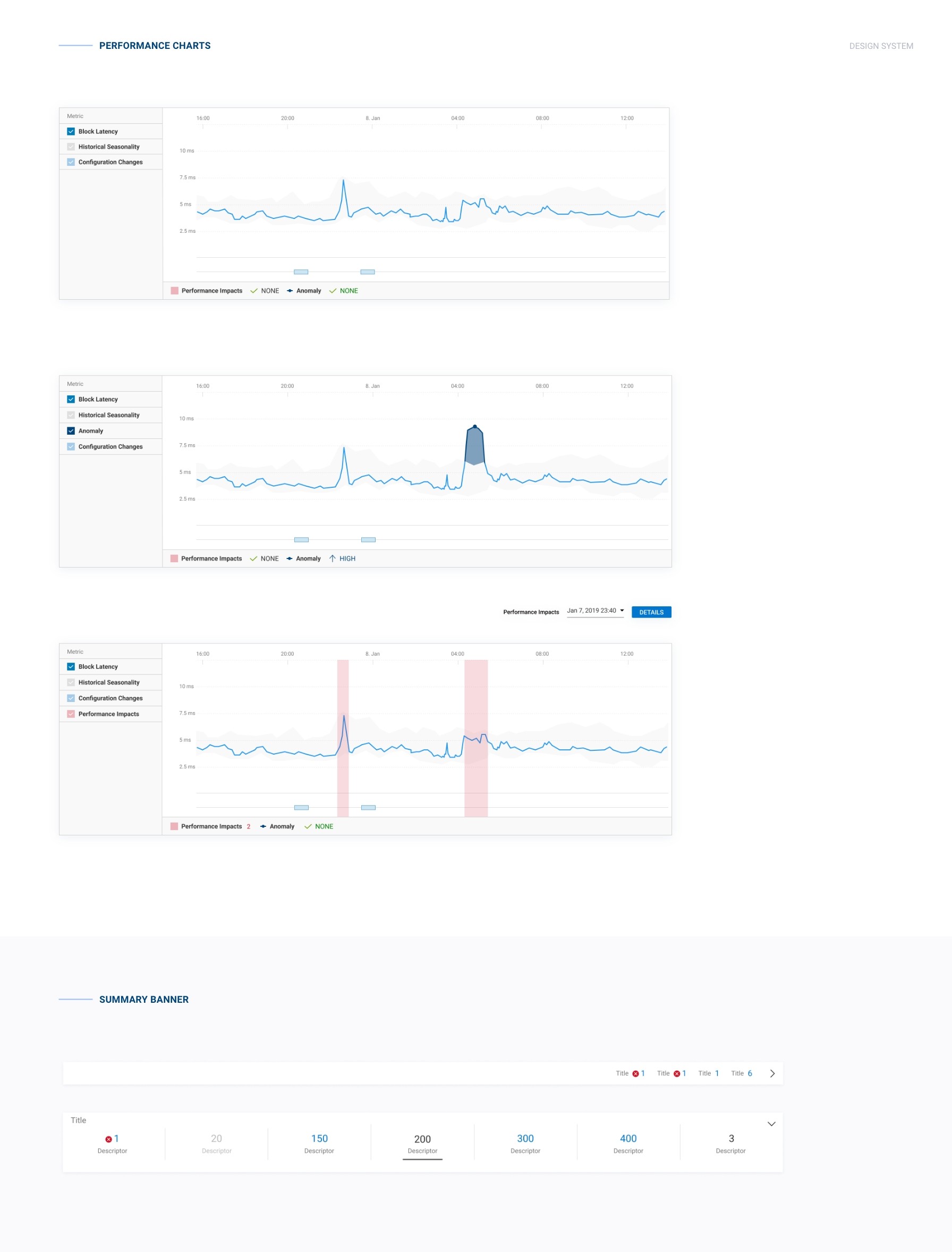
Standardized buttons, inputs, tables, alerts, navigation, charts, and dashboards designed for enterprise scale and data density.Developer alignment
Components mapped cleanly to implementation patterns, reducing rework and hand-off friction.
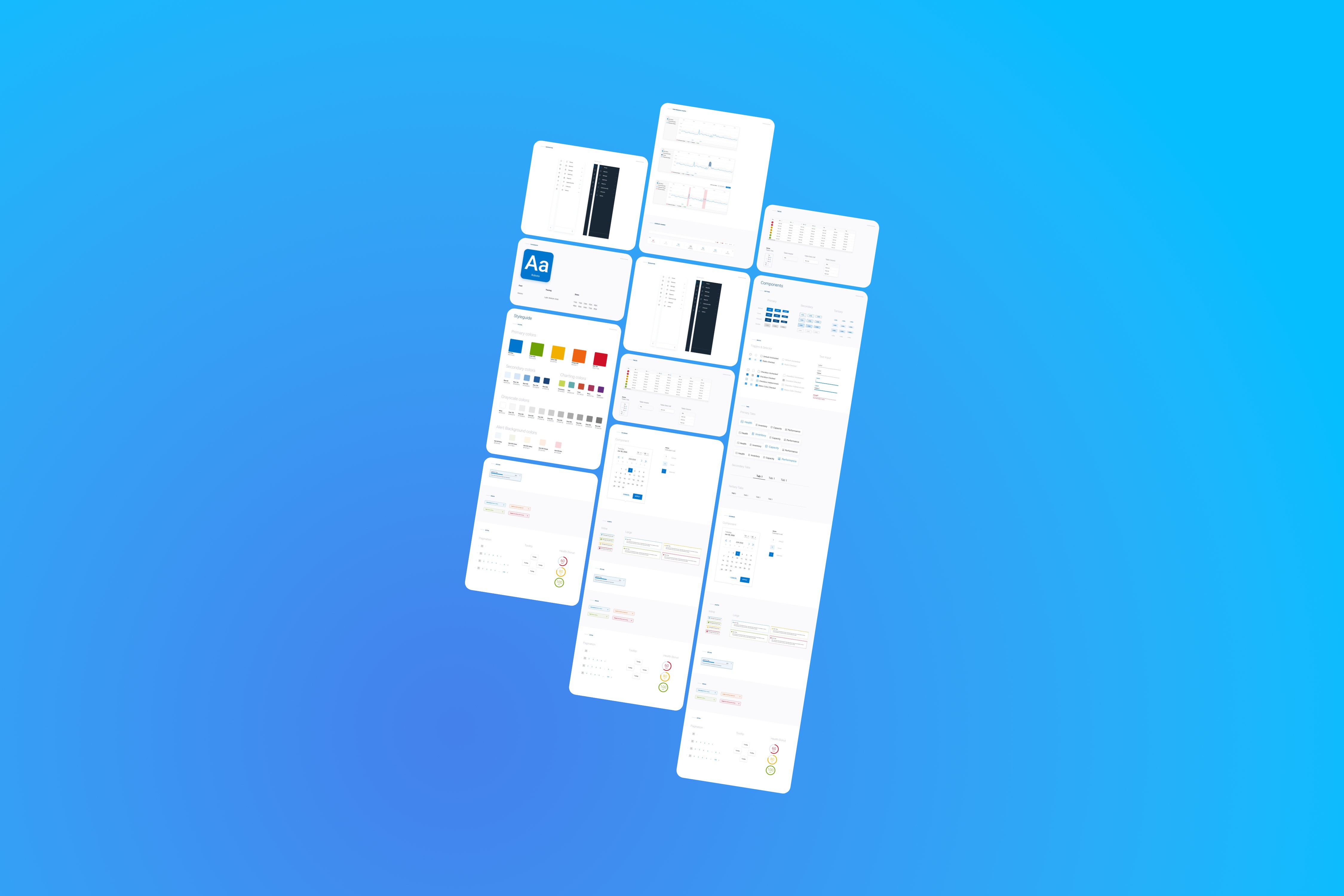
Visuals included dashboards, navigation patterns, charts, tables, and system health components.
Outcomes
The design system improved quality, speed, and alignment across the Dell AIOps platform.
• Reduced UI inconsistencies across core product areas
• Faster design and development cycles due to reuse
• Stronger collaboration between design and engineering
• A scalable foundation that supported ongoing product growth
Reflection
• Design systems succeed when teams trust and use them daily
• Governance matters as much as visual polish
• Flexibility needs structure to scale without chaos
• Strong documentation drives adoption and long-term value